Free Plan · No Credit Card

The menu your guests deserve.

MyMobileMenu is a free QR code menu maker for restaurants and bars. Build your menu once, then update it by typing or saying what changed: a sold-out dish, a new price, tonight's special. Guests always see the current menu, and you never reprint.

View Features

No credit card required

Bring Your Menu

Already have a menu? Don't retype it.

Upload the menu you already have, or paste your website link. We turn it into a draft with your sections, items, prices, and descriptions, ready for you to edit.

  • Works with PDFs, photos, and spreadsheets
  • Pulls your colors, fonts, and logo from your website
  • Nothing goes live until you publish
dinner-menu.pdf

Your draft menu

Smash Burger14
Caesar11
Old Fashioned13
Key Lime Pie9
AI Menu Assistant

Just tell it what changed.

Type it or say it. The assistant writes up the changes like a kitchen ticket. Check each line, fix anything it got wrong, and nothing changes until you tap Add.

  • 86 an item, bring it back, change a price, or add a section
  • Make bulk edits like “raise all beers by a dollar,” or sort, move, and schedule sections
  • Talk to it from your phone behind the bar, iPhone included
  • Edits go to your draft. Guests see nothing until you publish.

It won’t change your design, and it never publishes on its own.

Core Features

Everything your menu needs.

Edit from your phone, tablet, or laptop. Changes reach guests as soon as you publish, and there’s nothing to install.

AI Menu Assistant

Type or say “86 the salmon” or “raise all beers by $1,” then review each change before anything is saved.

See it work

Design It Your Way

Pick from ten design styles, then add your own colors, logo, background photo, and header photo.

Import Your Brand

Paste your website link and we’ll pull your colors, fonts, logo, and a header photo. Nothing changes until you approve it.

86 Items Mid-Service

Out of the special? Mark it sold out, publish, and it’s off your guests’ menu.

Schedule Your Menu

Brunch on weekends only? Set up a schedule once, assign it to sections, and they show up only during those hours.

Branded QR Codes

Style your QR code with your colors, dot shapes, and logo, then download it as a PNG or SVG for print.

For Your Guests

Designed for the person holding the phone.

Guests don’t need an app or an account. Every published menu comes with these built in.

VegetarianVeganGF

Dietary Filters

Tag items as vegan, gluten-free, and more. Guests tap a filter to see only what they can eat.

BreakfastLunchDinner

Browse by Time

Checking the menu in the morning for a dinner reservation? Guests can switch to dinner and see what will be served.

See the Dish

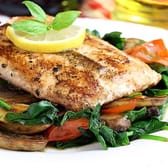
Add photos to the dishes you want to show off, right in the list or behind a tap.

Three Steps

From paper to digital in minutes.

No more reprinting every time a price changes. Here’s how to get set up.

01

Build Your Menu

Upload a PDF or photo of your current menu and we'll draft it for you, or start from scratch in the editor.

02

Customize the Style

Pick a style, colors, and fonts, and add your logo, or paste your website to match your brand. The preview updates as you go.

03

Publish & Stay Current

Publish to your own link and QR code. When something changes, edit it yourself or tell the AI Menu Assistant, then publish again.

Menu Analytics

Stop guessing what guests want.

See how many people view your menu, which items get the most attention, when guests browse, and which sections they skip.

You can also see how they found it (QR scan, search, or a link) and which dietary filters they use most.

Included with Pro and Enterprise.

Menu views

MTWTFSS

Top viewed

Smash Burger
Truffle Fries
House Old Fashioned

Example dashboard with sample data.

Ready to put your menu online?

Start free with no credit card. Choose Pro or Enterprise to unlock the AI Menu Assistant, analytics, and menu import, and pay nothing until your first menu goes live. Set it up in minutes, then get back to the kitchen.

No credit card to start · No setup fees · Paid plans charge only when you publish

Pricing

Build on any plan. Pay when you publish.

Free has no card and no time limit. Pick Pro or Enterprise and every feature unlocks right away — nothing is charged until you publish your first menu.